
A coherent urban foundation.
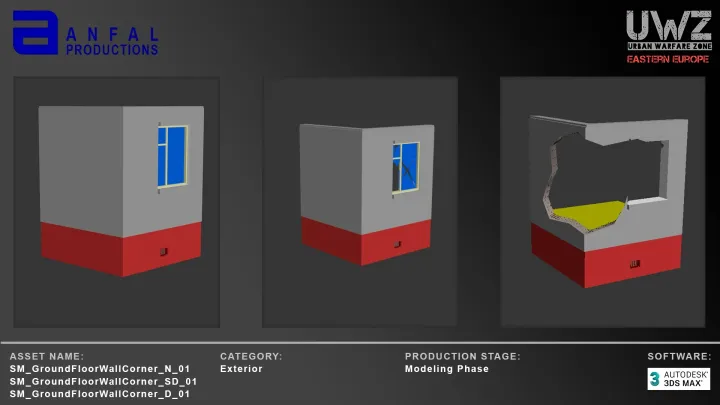
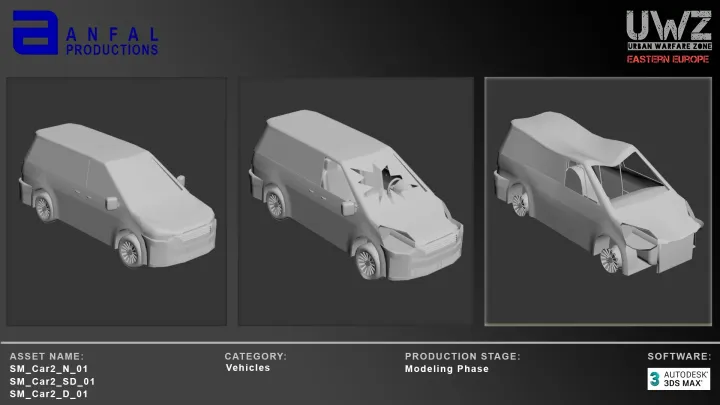
Modular buildings, interiors, roads, courtyards, vegetation, static civilian vehicles and props support a composed district rather than a disconnected collection of models.
UWZ — Eastern Europe / Unreal Engine environment system
A modular urban environment designed to bring district composition, interactive destruction and reusable Blueprint workflows into one production system.
This preview presents the intended release scope. Final supported versions and integrated features will be specified at release.
01 / The developer advantage
Modular buildings, interiors, roads, courtyards, vegetation, static civilian vehicles and props support a composed district rather than a disconnected collection of models.
HISM district content, LiveMesh state transitions and projectile impact handling are brought into a reusable integration design.
Stable district baselines, configurable behavior, child Blueprint workflows and dedicated documentation give developers a clear starting point.
Product sequence
Architecture, street space and materials form a connected setting.
Street-level environment capture is pending. The approved shot will show the actual UWZ district at human scale.
Follow the intended path from instanced content into LiveMesh interaction.
Reuse the parent behavior and configure a child for your project.
Actual Blueprint configuration capture is pending. Explore the current inheritance guide below.
02 / Ready-made composition
DL_EE_01 — DL_EE_05
Five permanent baked HISM baselinesBegin with an organized environment configuration. Build project-specific content and behavior around it while preserving the original baked HISM setup and visual result.
For your project: reuse a composed starting layout, place your own additions around it, and keep a stable reference scene as the project grows.
District architecture03 / Connected architecture
Integration architecture / Approved design
Capture the hit and configured projectile parameters. Resolve direct-hit or radial handling.
Determine affected HISM instances and existing interactive targets before mutation.
Move affected instanced geometry into the LiveMesh path and coordinate subsequent damage.
Apply the relevant health, damage-state and debris response through the runtime architecture.
Architecture explainer, not an Unreal runtime demonstration. Recorded system captures will be added to the release presentation.
04 / Reusable impact handling
27 configured projectile
and impact profiles.
From direct hits to large-radius test scenarios, the design separates damage, impact radius and impact strength so the same architecture can serve different game requirements.
The approved design uses one impact area and a common linear falloff for damage and impulse. Radius-zero profiles follow the direct-hit path.
Parameters & implementation scope05 / Extend the workflow
Start from an environment configuration and identify the content your project needs.
Add project content without modifying the permanent district baseline.
Use inherited projectile behavior and project-specific child settings.
Review interaction, cleanup and performance in your own target project.
For your project: the intended child Blueprint workflow lets you vary projectile and impact presentation while retaining a shared behavior foundation.
Customization guideValidation & troubleshootingTwo delivery scopes
Choose the asset foundation when you bring your own project logic. UWZ’s intended Systems Product connects that foundation to a shared environment workflow.
| Your production task | Asset-only workflow | UWZ Systems Product / Intended scope |
|---|---|---|
| Compose a scene | Arrange individual assets in your project. | Start from composed district configurations. |
| Extend the environment | Define your own scene structure. | Keep immutable baselines and organize project additions separately. |
| Connect interaction | Supply the project’s interaction logic. | Use a common impact-to-LiveMesh integration design. |
| Vary behavior | Organize project-specific settings. | Configure reusable Blueprint children around shared parent behavior. |
| Understand the workflow | Work from the asset reference and your project setup. | Follow environment, interaction and extension guides. |
Your next step
UWZ is not yet available to purchase. The Fab product destination will appear here when the listing is live.
Read the developer guideVisit the UWZ community for project discussion and release news.
Open the UWZ communityFor commissioned production work, send a studio brief.
Product & production questions
Send a product or integration question to Anfal. Include your intended use and the workflow you want to understand.
Email about UWZFor commissioned assets, environments or systems, share your project brief directly with Anfal.
Studio inquiries